If you don’t have a supported TV or Media Play Device, but have another Mac or PC with a big screen like an iMac, a PC Workstation or a Media Center PC, SofaPlay can also be used with this setup. Here’s how:
1.) Download XBMC and install it.
2.) In the settings panel (found under: System -> Settings) select the network settings.
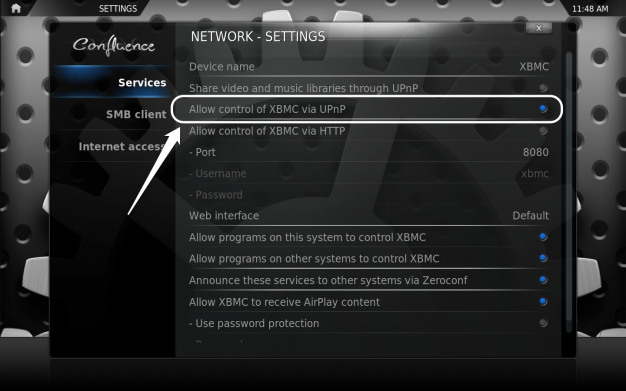
3.) Enable “Allow control of XBMC via UPnP”
4.) Done!
Now, your second computer should appear in the list of available devices.
